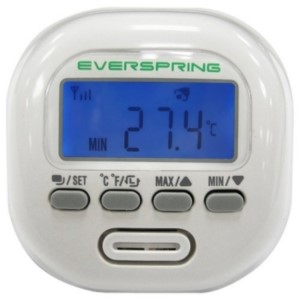
EverSpring Z-Wave ST814-2 Multi Sensor
Product Description
- Z-Wave compatible temperature / humidity sensor
- Includes LCD display with Fahrenheit and Celcius temps
- Give warnings when temperature or humidity reaches preset trigger values
Working with PhD
- Monitor temperature or humidity from EverSpring Multi Sensor
Add EverSpring Multi Sensor to PhD’s network
- On the Zinno app, press Left Menu Bar, then select “Devices”
- Select “+” button to put the PhD in inclusion mode, keep the sensor close to PhD within 10 feet (3 meters)
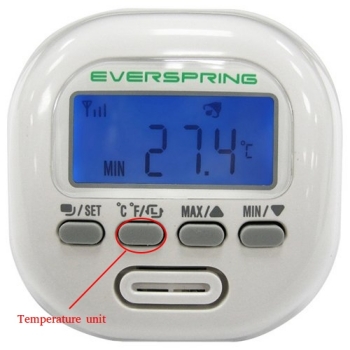
- Press Temperature unit button 3 times within 1.5 seconds
- If detecting a new device successfully, PhD will announce “Found Device”, and Zinno app will display the dialog box, asking user to interact with device one more time
- Repeat step #3, PhD will announce “The device is being added”
- If adding the sensor successfully, PhD will announce “Adding Everspring Temperature Humidity Sensor success” and on Zinno app will display the dialog boxes that indicate user has added device successfully
Specification
- Model number: ST814-2
- Power source: USB DC 5V, Battery
- Battery type: x3 AA batteries
- Protocol: Z-Wave
- Dimension: 3.8 x 3.5 x 2.8 inches
- Weight: 0.5 pounds
- Color: White