SmartThings Zigbee ST-CEN-IRM-1 Motion Sensor
Product Description
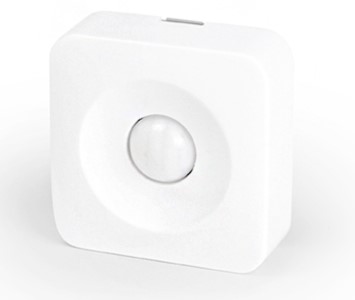
The SmartSenseTM Motion sensor lets you know when movement is detected in a certain area and can trigger different actions in response to that movement (or lack of movement).
Working with PhD
- Monitor your SmartThings Motion Sensor and other connected devices with the Zinno app available on iOS&Android
- Receive alerts from PhD if the SmartThings Motion Sensor detects movement
- Associate SmartThings Motion Sensor with other smart devices in Zinno App, and set them to turn on or off when sensor detects movement
Add NYCE Curtain Motion Sensor to PhD’s network
- On the Zinno app, press Left Menu Bar, then select “Devices”
- Select “+” button to put the PhD in inclusion mode, keep the sensor close to PhD within 15 feet (4.6 meters)
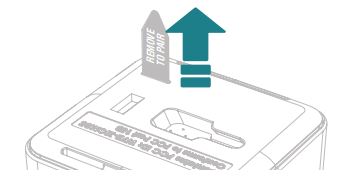
- Pull the REMOVE TO PAIR tab on the sensor, if detecting a new device successfully, PhD will announce “The device is being added” and begin the adding process
- If adding the sensor successfully, PhD will announce “Adding SmartThings SmartSense Motion Sensor success” and on Zinno app will display the dialog boxes that indicate user has added device successfully
Specification
- Model number: ST-CEN-IRM-1
- Power source: Battery
- Battery type: CR2450
- Protocol: Zigbee
- Dimension: 2 x 2 x 0.8 inches
- Weight: 0.081 pounds
- Color: White